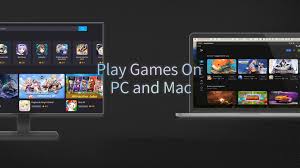
What Is MuMuPlayer and Why It’s the Best Android Emulator for PC
I think MuMu Player is one of the best tools I have used to play mobile games on my PC. When I first heard about Android emulators I was curious. That is when I decided to try MuMuPlayer. If you are a gamer or someone who wants to run Android apps on a bigger screen then you should know about MuMu Player and its key features.
I will share my personal experience and explain everything step by step. We will talk about MuMuPlayer v5.0, its compatibility with different devices and how it supports multiple instances. We will also explore its graphics performance and why it is better than other Android emulators.
What Is MuMu Player
MuMu Player is an Android emulator that allows us to run Android apps and games on our PC. It is developed by NetEase and is known for its high performance and smooth gaming experience. MuMuPlayer supports both Windows and macOS platforms. It is also called MuMu App Player or MuMu Simulator. The latest version is MuMuPlayer v5.0 which comes with many new features.
We use MuMu Player when we want to play mobile games on a bigger screen or when we want to test Android applications. It is also useful for developers who want to check their apps on different Android versions. MuMuPlayer is easy to use and has a user-friendly interface.
Key Features of MuMu Player
High Performance
MuMu Player is designed for high performance. It uses GPU acceleration and supports Intel vt-x and AMD-v virtualization. This helps in running games smoothly even on low-end PCs. The FPS is stable and the graphics are clear.
Multi-Instance Support
One of the best features of MuMuPlayer is multi-instance support. We can run multiple instances of the emulator at the same time. This is useful if we want to play different games or use multiple accounts.
Smooth Gameplay
MuMu Player offers smooth gameplay with no lag. It supports high FPS and gives a better gaming experience. The controls are easy to set and the graphics are optimized for PC.
User-Friendly Interface
The interface of MuMuPlayer is simple and clean. We can easily find settings and control options. It supports keyboard and mouse controls which makes it better than playing on a phone.
Compatibility
MuMu Player is compatible with a wide range of Android apps and games. It supports different Android versions including Nougat. It works well on Windows 11 and macOS. It also supports devices like laptops, tablets and desktops.
How to Download MuMu Player
To download MuMu Player we should visit the official website. There we can choose the version for Windows or macOS. The installation is simple and takes only a few minutes. After installing we can start using Android apps and games on our PC.
Why We Should Use MuMu Player
There are many reasons why we should use MuMu Player
- It gives better performance than other Android emulators
- It supports multiple instances
- It works on low-end PCs
- It has a user-friendly interface
- It supports a wide range of Android apps and games
- It gives a smooth gaming experience
- It supports GPU acceleration and virtualization
- It is free to download and use
My Experience with MuMu Player
I started using MuMuPlayer when I wanted to play Android games on my PC. I downloaded MuMu Player v5.0 and installed it on my Windows system. The installation was easy and the interface was simple. I played games like PUBG Mobile and Clash Royale. The performance was great and the FPS was stable. I also used multiple instances to play different games at the same time. The graphics were clear and the controls were easy to set.
I also tested some Android applications for my school project. MuMuPlayer supported all the apps and gave a smooth experience. I used the emulator on my laptop and it worked without any lag. I think MuMu Player is perfect for gamers and developers.
Technical Details and System Requirements
To use MuMu Player we need a PC with the following specifications
- Operating System: Windows 7, 8, 10, 11 or macOS
- RAM: At least 4GB recommended 8GB
- CPU: Intel or AMD with virtualization support
- GPU: Integrated or dedicated graphics card
- Free Disk Space: At least 2GB
- Virtualization: Intel vt-x or AMD-v should be enabled
MuMuPlayer supports GPU acceleration and works well on low-end PCs. It also supports Hyper-V and cloud features.
Supported Devices and Platforms
MuMu Player supports many devices and platforms
- Windows PCs
- macOS systems
- Laptops
- Tablets
- Desktops
- Android devices
- ChromeOS
It also supports Android applications and games from the Google Play Store. The emulator gives seamless Google Play access and supports store access for downloading apps.
Gaming Experience with MuMu Player
MuMu Player is designed for gamers. It supports high FPS and smooth gameplay. The graphics are optimized and the controls are easy to use. We can use keyboard and mouse for better control. The emulator supports a wide range of mobile games and gives an immersive experience.
Some popular games that work well on MuMu Player are
- PUBG Mobile
- Clash Royale
- Genshin Impact
- Call of Duty Mobile
- Merge Tactics
- Star Rail
- Zenless Zone Zero
MuMuPlayer also supports lucky chests rewards and other game features. It gives lag-free gaming and better performance.
Comparison with Other Android Emulators
MuMu Player is better than many other Android emulators like Android Studio Emulator and others. It gives better performance and supports more features. The interface is clean and the controls are easy to set. It works well on low-end PCs and supports multiple instances.
Pricing and Support
MuMu Player is free to download and use. It supports professional developers and gamers. The support team is active and helps with any issues. The emulator gets regular updates and new features.
Final Thoughts
I think MuMu Player is one of the best Android emulators available today. It gives high performance smooth gameplay and supports a wide range of Android apps and games. The user-friendly interface and multi-instance support make it perfect for gamers and developers. If you want to play mobile games on your PC or test Android applications then you should download MuMu Player. It works on Windows and macOS and supports many devices. Just install it and enjoy a better gaming experience.